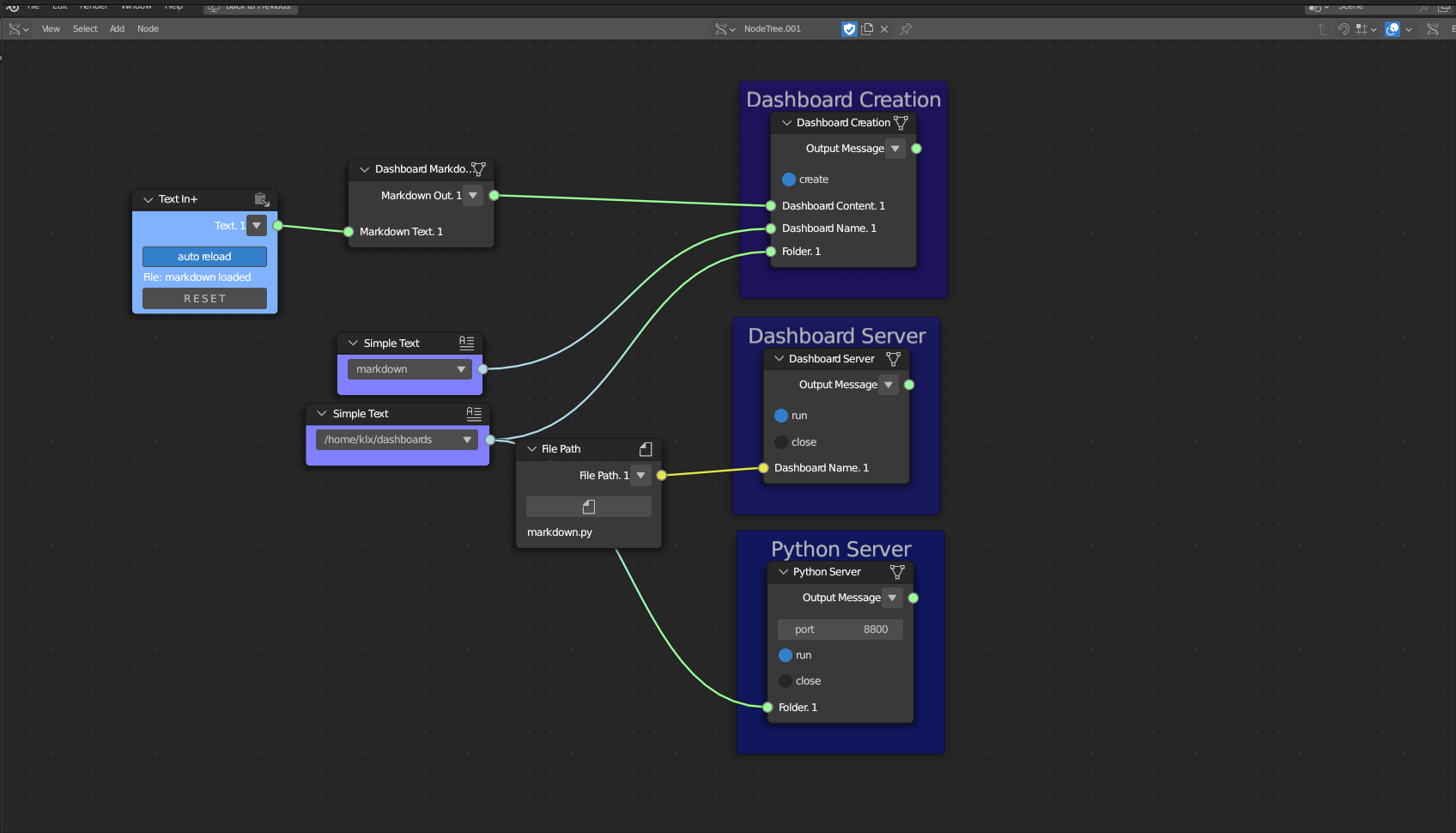
Dashboard Server
Category: Mega-Polis → Visualisation → Visualisation Supporting Tools
Node ID:SvMegapolisDashboardServer
Tooltip: Dashboard Server
Dependencies:os,multiprocessing,streamlit
Functionality
Launches a Streamlit dashboard server by running a generated dashboard script in a separate process.
This node is intended to be used after Dashboard Creation, once you have a .py dashboard script ready to run.
When enabled, it spawns a background process that executes something equivalent to:
streamlit run <dashboard_script.py>It outputs a simple status message indicating whether the server is waiting or running.
Inputs
| Socket | Type | Description |
|---|---|---|
| Dashboard Path | SvStringsSocket | Full path to the dashboard script file (.py). Must be linked. |
Parameters
| Name | Type | Default | Description |
|---|---|---|---|
| run | Bool | False | When enabled, launches the Streamlit server process. |
| port | Int | 8501 | Port used to serve the Streamlit app (if supported in implementation). |
Outputs
| Socket | Type | Description |
|---|---|---|
| Output Message | SvStringsSocket | Status string indicating whether the dashboard is running. |
Example
Run a dashboard script
- Use Dashboard Creation to generate:
/tmp/megapolis_dashboard/urban_analysis.py
- Connect that path to Dashboard Path.
- Enable run.
- Open the Streamlit server URL in your browser:
http://localhost:8501