Image Segmentation
Category: Mega-Polis → Analysis → Analysis Data Tools
Node ID:SvMegapolisImageSegmentation
Tooltip: Performs image segmentation on input images
Dependencies:opencv (cv2),numpy
Functionality
Performs image segmentation on an input image and outputs a segmented result suitable for downstream analysis or geometry workflows.
The node processes an image using OpenCV-based techniques and produces:
- A segmented image (label map or mask)
- A processed array representation
- Optional flattened values for analysis pipelines
This node is typically used for:
- Extracting regions from street imagery
- Identifying land cover patterns
- Converting raster images into data arrays for spatial analysis
- Pre-processing for object detection or classification workflows
Inputs
| Socket | Type | Description |
|---|---|---|
| Image | SvStringsSocket | Input image (file path or image array depending on upstream node). Must be linked. |
Parameters
| Name | Type | Default | Description |
|---|---|---|---|
| Method | Enum | threshold | Segmentation method used internally (e.g., thresholding or clustering). |
| Threshold | Float | 127 | Threshold value used when the selected method requires it. |
| Invert | Bool | False | Inverts segmentation result (foreground/background swap). |
(Exact parameter behaviour depends on the underlying OpenCV implementation.)
Outputs
| Socket | Type | Description |
|---|---|---|
| Segmented Image | SvStringsSocket | Resulting segmented image array. |
| Flatten Values | SvStringsSocket | Flattened array of segmentation values for analysis. |
Example
Basic segmentation workflow
- Load an image using an upstream image-reading node.
- Connect the image to Image.
- Set:
- Method →
threshold - Threshold →
120
- Method →
- Use outputs:
- Segmented Image to visualise the mask
- Flatten Values for statistical analysis or clustering
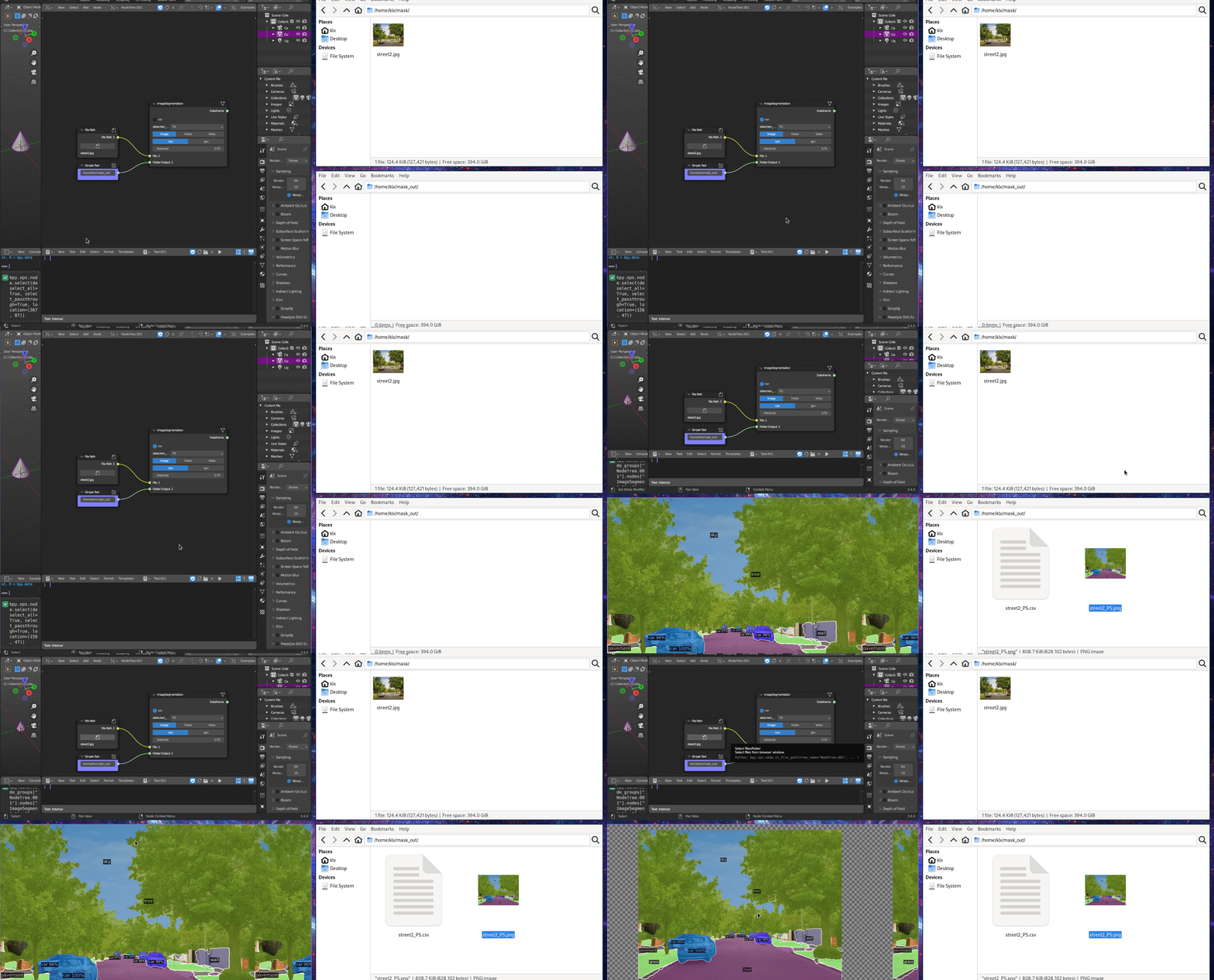
Street imagery analysis
- Use Download Street Imagery.
- Feed image into Image Segmentation.
- Use segmentation mask to:
- Detect sky/ground ratio
- Extract vegetation areas
- Compute coverage statistics
```