Request Data API
Category: Mega-Polis → Gathering → Gathering Supporting Tools
Node ID:SvMegapolisRequestDataAPI
Tooltip: Request data from an API endpoint
Dependencies:requests,json,pandas
Functionality
Requests data from a remote API endpoint and returns the response in structured formats that can be used in downstream workflows.
The node performs an HTTP request to a given URL and converts the response into:
- Raw JSON data
- A Pandas DataFrame (when the response is tabular/record-like)
- A message/status output
This enables integration of live external data sources such as open-data portals, environmental sensors, transport APIs, and other web services into Mega-Polis pipelines.
Inputs
| Socket | Type | Description |
|---|---|---|
| URL | SvStringsSocket | API endpoint URL used to request data. |
| Params | SvStringsSocket | Optional query parameters passed to the request (as key/value structure or string). |
| Headers | SvStringsSocket | Optional request headers (e.g., API tokens, content type). |
Parameters
| Name | Type | Default | Description |
|---|---|---|---|
| method | Enum | GET | HTTP method used for the request (GET or POST). |
| timeout | Float | 30 | Timeout in seconds for the request before it fails. |
| as_dataframe | Bool | True | If enabled, attempts to convert JSON response into a Pandas DataFrame. |
Outputs
| Socket | Type | Description |
|---|---|---|
| JSON Data | SvStringsSocket | Parsed JSON response from the API. |
| DataFrame | SvStringsSocket | Pandas DataFrame created from the response when possible. |
| Status | SvStringsSocket | HTTP status or message indicating request success/failure. |
Example
Simple GET request
- Add Request Data API node.
- Connect:
- URL →
"https://api.example.com/data"
- URL →
- Keep:
- method → GET
- Outputs:
- JSON Data → full parsed response
- DataFrame → tabular version if response is record-based
GET with parameters
Inputs: - URL → "https://api.openweathermap.org/data/2.5/weather" - Params → { "q": "Melbourne", "appid": "YOUR_KEY" }
Use output JSON to: - Extract temperature - Drive simulations - Feed into analysis nodes
POST request example
- Set:
- method → POST
- Provide:
- URL →
"https://api.example.com/upload" - Headers →
{ "Content-Type": "application/json" } - Params → request payload
- URL →
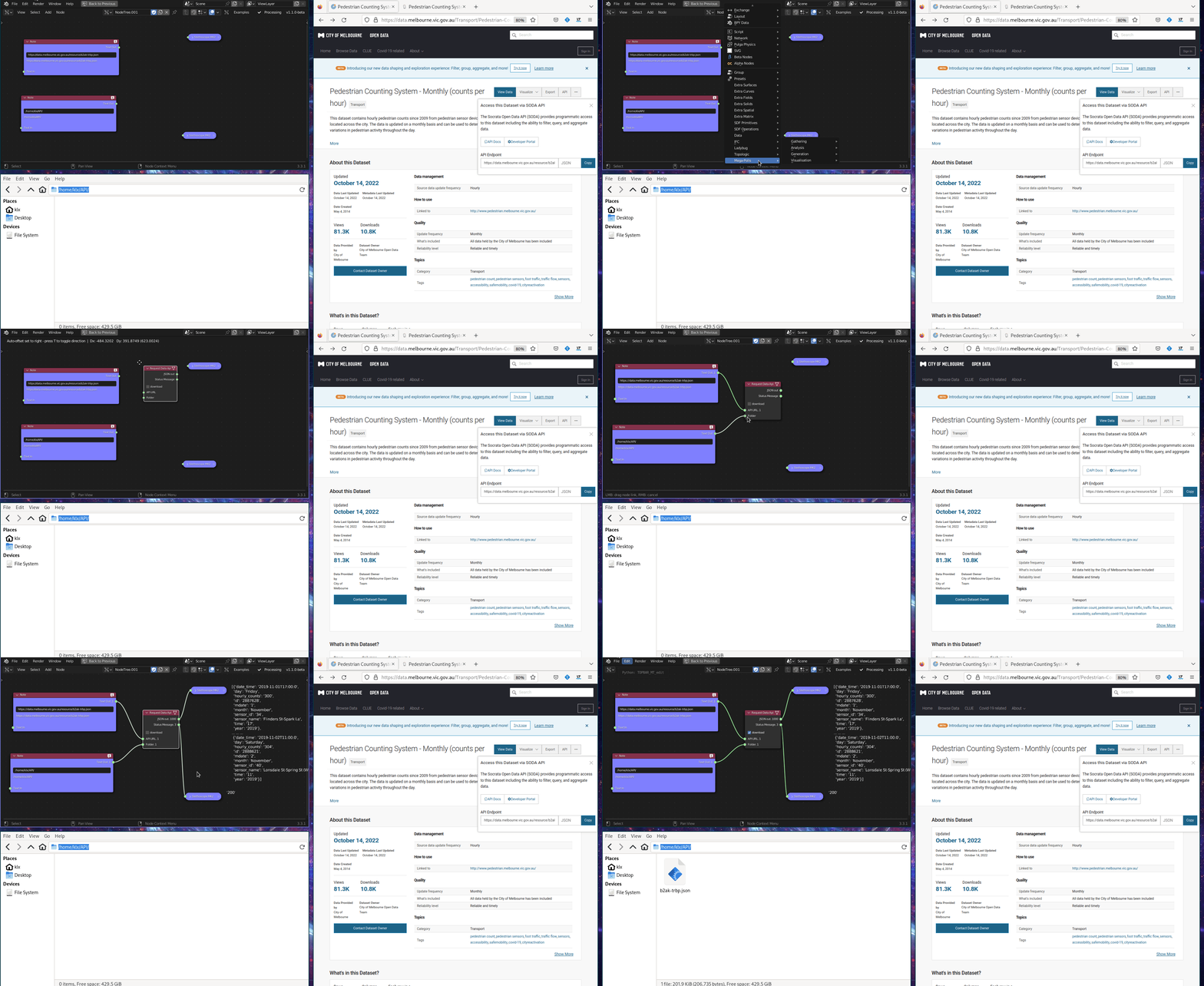
Typical uses
- Connect to:
- Government open-data portals
- Weather APIs
- Mobility/transport APIs
- Sensor networks
- Feed live data into:
- Analysis nodes
- Simulation workflows
- Urban dashboards
- Time-series visualisation
Notes
- The DataFrame output depends on the JSON structure being compatible with tabular conversion.
- If the response is nested, additional processing may be required downstream.
- Invalid endpoints or missing authentication may return an error status message.
- Timeout prevents long-blocking requests during graph execution. `