Object Detection
Category: Mega-Polis → Analysis
Node ID:SvMegapolisObjectDetection
Tooltip: Performs object detection on input images
Dependencies:opencv (cv2),numpy
Functionality
Performs object detection on an input image and outputs detection results such as bounding boxes, class labels, and confidence scores.
The node processes the image using OpenCV-based detection routines (typically pre-trained classifiers or models) and extracts detected object regions for further spatial or analytical workflows.
This node is designed for workflows such as:
- Detecting objects in street imagery
- Identifying urban elements (vehicles, pedestrians, façades, etc.)
- Extracting bounding box geometry for downstream spatial analysis
Inputs
| Socket | Type | Description |
|---|---|---|
| Image | SvStringsSocket | Input image (file path or image array). Must be linked for the node to execute. |
Parameters
| Name | Type | Default | Description |
|---|---|---|---|
| Confidence Threshold | Float | 0.5 | Minimum confidence score required for detection acceptance. |
| Draw Boxes | Bool | True | If enabled, outputs image with bounding boxes drawn. |
(Exact parameter behaviour depends on the underlying OpenCV detection implementation.)
Outputs
| Socket | Type | Description |
|---|---|---|
| Bounding Boxes | SvVerticesSocket | List of bounding box corner coordinates. |
| Labels | SvStringsSocket | Detected object class labels. |
| Scores | SvStringsSocket | Confidence scores for each detected object. |
| Image Out | SvStringsSocket | Image with detection overlays (if enabled). |
Example
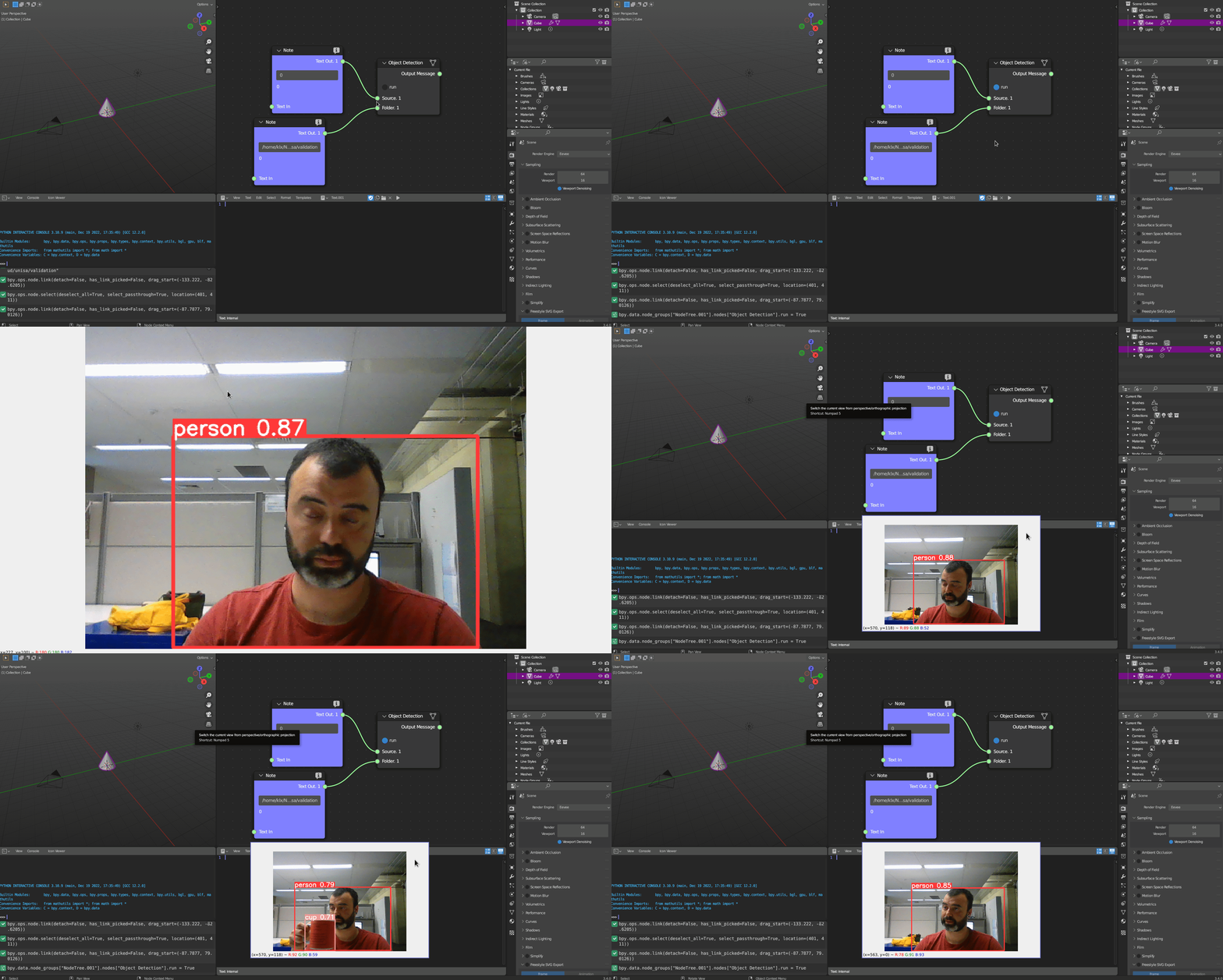
Basic object detection workflow
- Load an image using an upstream node (e.g., street imagery download).
- Connect the image to Image.
- Set Confidence Threshold (e.g.,
0.6). - Use outputs:
- Bounding Boxes to generate geometry in the scene
- Labels to filter specific object types
- Image Out to visualise detection results
- Bounding Boxes to generate geometry in the scene
Urban analysis example
- Download street imagery.
- Run Object Detection.
- Count occurrences of certain object classes (e.g., vehicles).
- Use counts to drive data visualisation or environmental indicators.
Notes / gotchas
- Detection quality depends on the pre-trained model used internally.
- Large images may reduce performance.
- Bounding box coordinates are typically 2D image coordinates, not world coordinates. ```