File to GDF
Category: Mega-Polis → Generation → Generation Supporting Tools
Node ID:SvMegapolisFileToGdf
Tooltip: Convert file to GeoDataFrame
Dependencies:geopandas
Functionality
Loads a geospatial file and converts it into a GeoPandas GeoDataFrame (GDF).
The node reads supported GIS formats (e.g., Shapefile, GeoJSON, GeoPackage) using geopandas.read_file() and outputs the resulting GeoDataFrame for use in downstream spatial workflows.
This node is primarily used when:
- You need attribute-level operations on spatial data
- You want to feed geospatial data into analysis nodes
- You are working directly with GeoDataFrame-based pipelines
Inputs
| Socket | Type | Description |
|---|---|---|
| Path | SvFilePathSocket | Path to a geospatial file (e.g., .shp, .geojson, .gpkg). Must be linked. |
Parameters
This node has no exposed UI parameters.
Outputs
| Socket | Type | Description |
|---|---|---|
| GeoDataFrame | SvStringsSocket | GeoPandas GeoDataFrame created from the input file. |
Example
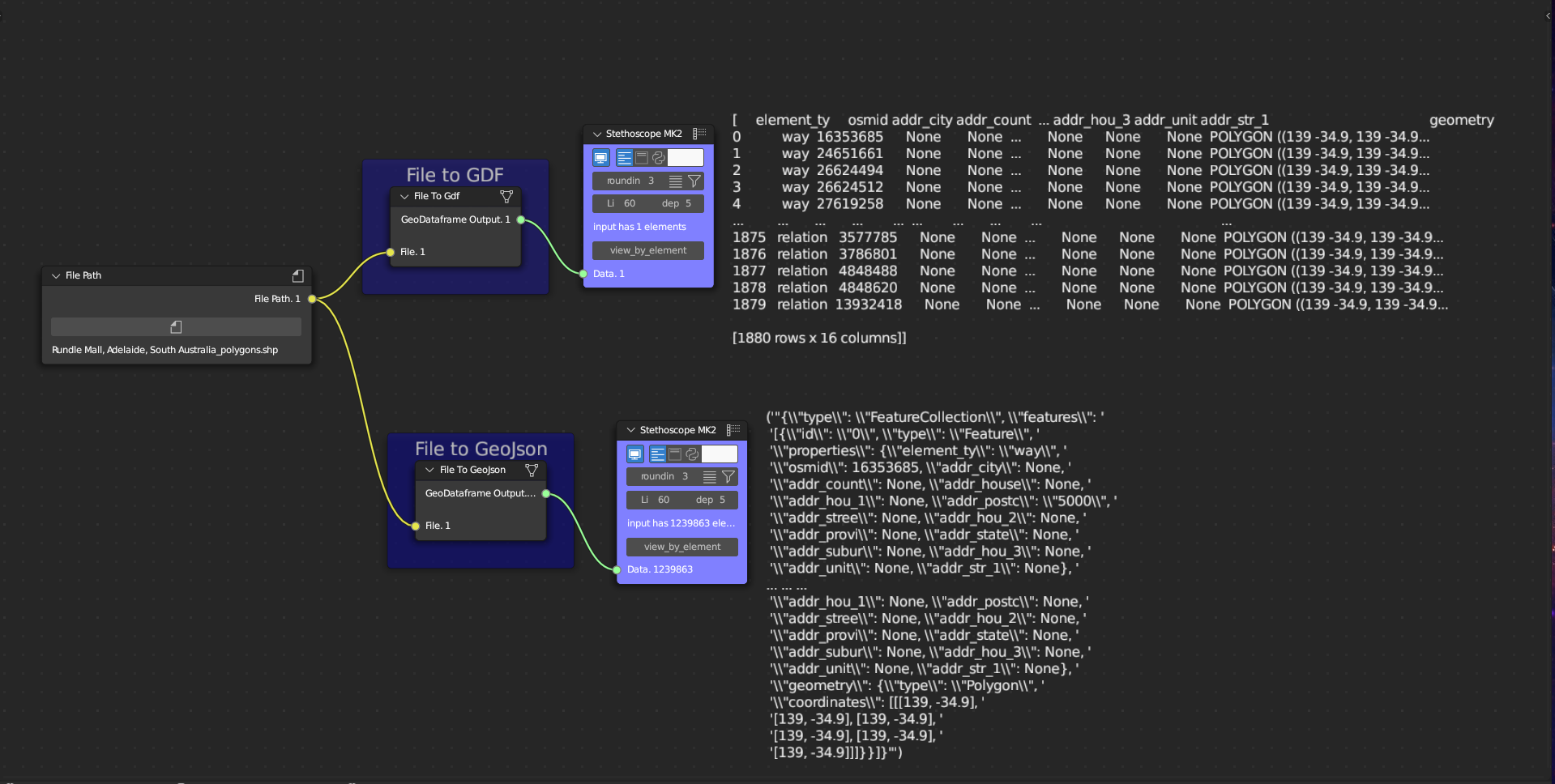
Load a GeoJSON file
- Use Get File Path to select:
/data/buildings.geojson
- Connect to File to GDF → Path
- Output:
- A GeoDataFrame containing geometry and attribute columns
Typical workflows
- Connect to:
- Get Pandas Feature to extract attributes
- Pandas Filter for attribute filtering
- Correlation for numeric analysis
- Custom spatial analysis nodes
- Get Pandas Feature to extract attributes
Notes
- CRS is preserved from the source file.
- Ensure the file format is supported by GeoPandas/Fiona.
- Large GIS files may require significant memory.
- Output follows Sverchok list-wrapped object conventions.