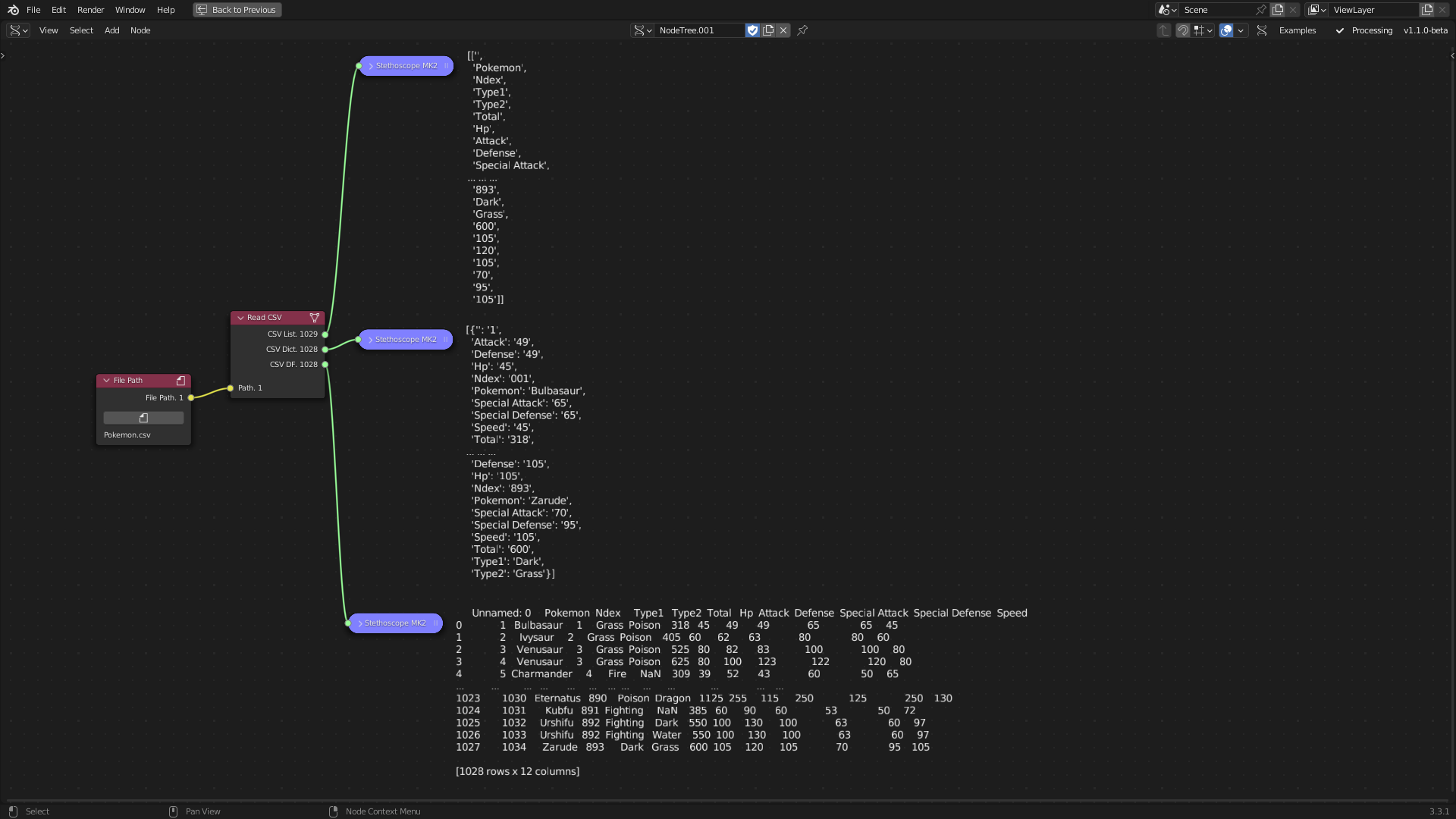
Read CSV
Category: Mega-Polis → Gathering → Gathering Data Tools
Node ID:SvMegapolisReadCsv
Tooltip: Read CSV file
Dependencies:pandas
Functionality
Reads a CSV file from a local path and outputs three representations of the data:
- CSV List: rows as a list of lists (via Python
csv.reader) - CSV Dict: rows as a list of dictionaries keyed by the CSV header (via
csv.DictReader) - CSV DF: a Pandas DataFrame (via
pd.read_csv)
The node only runs when the Path input is linked. :contentReferenceoaicite:0
Inputs
| Socket | Type | Description |
|---|---|---|
| Path | SvFilePathSocket | Local path to a .csv file. The node exits early if this socket is not linked. :contentReferenceoaicite:1 |
Parameters
This node has no exposed UI parameters. :contentReferenceoaicite:2
Outputs
| Socket | Type | Description |
|---|---|---|
| CSV List | SvStringsSocket | List of rows, where each row is a list of string fields (output of csv.reader). :contentReferenceoaicite:3 |
| CSV Dict | SvStringsSocket | List of dictionaries (one per row) created from csv.DictReader. Note: the current code appends DictReader results twice (duplicate rows). :contentReferenceoaicite:4 |
| CSV DF | SvStringsSocket | Pandas DataFrame loaded via pd.read_csv(file_name). :contentReferenceoaicite:5 |
Example
Minimal workflow
- Add Read CSV node.
- Connect a file path (e.g.,
/path/to/data.csv) to Path. - Use outputs:
- CSV DF for table-based workflows (filtering, mapping attributes, etc.)
- CSV Dict when you want per-row key/value dictionaries
- CSV List for raw row lists